


Use the stash you already have
See what those fabrics you've been saving would actually make, and finally sew them into something.
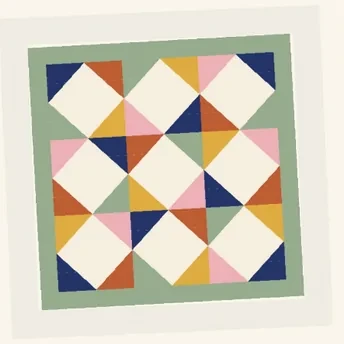
Your pattern
Your fabrics


Your quilt
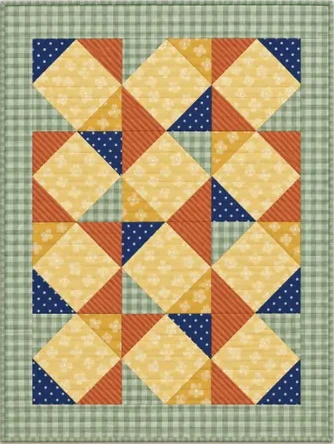
Snap your pattern and a few fabrics from your stash, and see the finished quilt before you cut a thing.
Free plan: 5 previews every month.
Most quilters plan in their head, lay fabric out on the floor, or buy and hope. Quilt Preview shows you the answer instead.
Results in minutes
See your pattern in your fabric now, not after the top is pieced.
Stop second-guessing
Compare arrangements side by side and keep the one you love.
Audition before you buy
Photograph bolts at the shop or fabric online and try them in your pattern.
Shop your stash first
See whether the fabric you already own will do the job.
Free plan: 5 previews every month.
From photos to a finished-looking quilt in a few minutes, right from your phone.
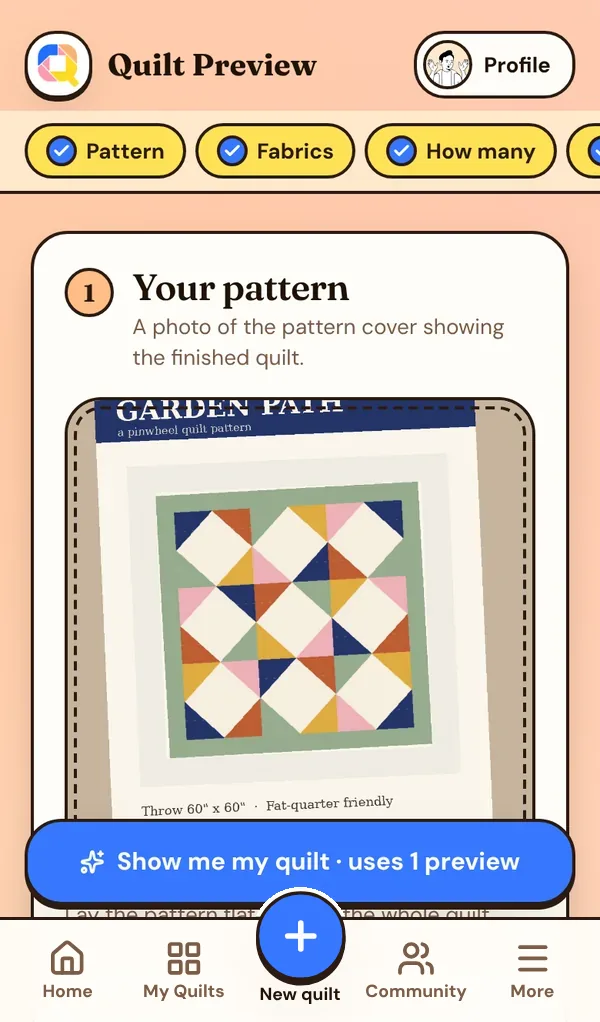
Snap your pattern
Take a photo of the pattern cover you own. Glare and angles are fine.
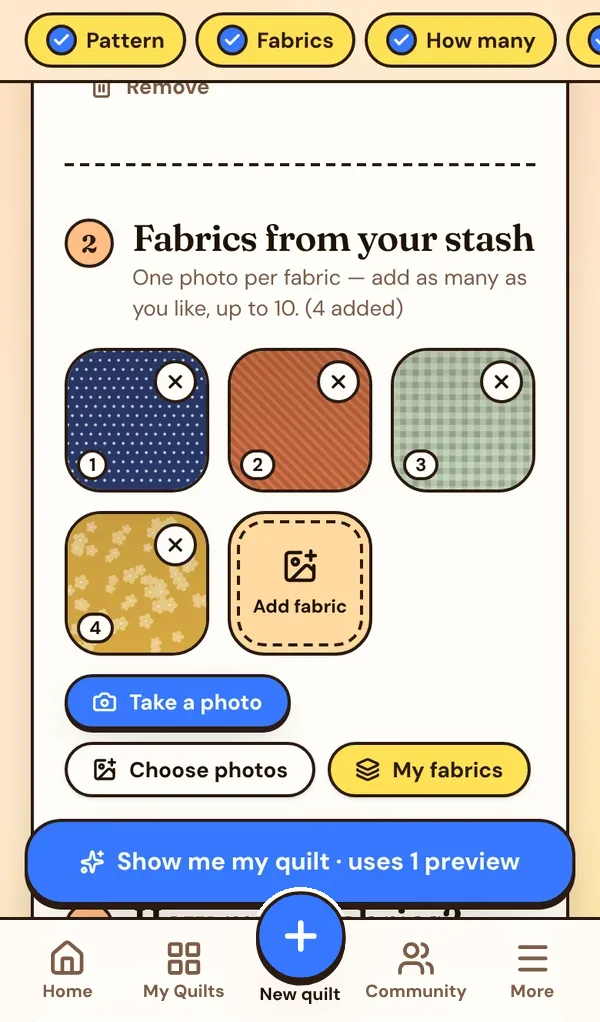
Add your fabrics
One photo per fabric from your stash, or straight off the bolt at the quilt shop.
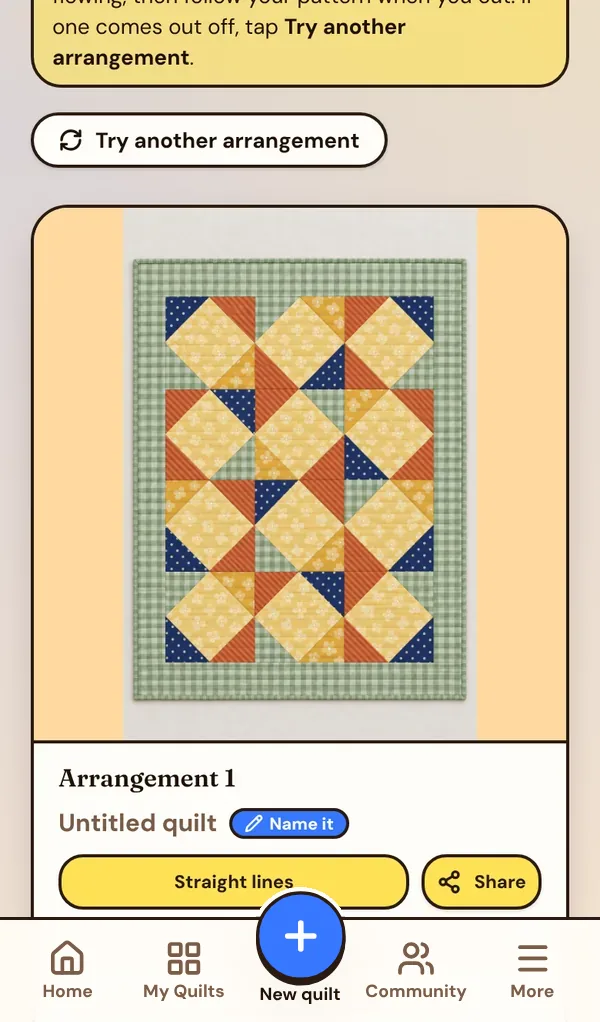
See your quilt
Your pattern, pieced from your fabric and quilted with the stitch you pick.
“It started with videos. My son Matthew and I began filming our quilting together, mostly as a way to spend time together. Quilters started watching, and we realized we could do something special.”
“I've been quilting for over ten years, and I could always see the quilt in my head. Getting it out of my head was the hard part. I wanted to design quilts on my own, with my own fabric, without wrestling complicated programs on the computer. So Matthew built it with me.”
“Lo and behold, Quilt Preview became real. Now it's a place for quilters to plan, make and share their quilts together, right on their phones.”
— Sarah Tripp, quilter, and Matthew Tripp, her son and software designer
Where it started
Sarah's quilting videos, made together.
“I wanted Quilt Preview for fabric compatibility: seeing whether a grouping of fabric really works together while I'm choosing a pattern. You know the feeling when everyone around you says ‘this one looks good,’ then ‘no, wait, this one,’ and you still can't see it. I hoped it would give us a tool to feel confident in our own choosing, not swayed by others.”
“I'm mainly a kit buyer, and it has made me feel more capable of putting my own selections together. Fast decisions at the store, or looking through your stash to gather fabric for a pattern. Basically, so you never make a quilt and end up unhappy with the way it turned out.”
“It's all a work in progress, shaped by how you use it. Thank you so much for using it and showing us your quilts. I love it! Keep the ideas rolling.”
— Sarah
Have a favorite quilting stitch?
Add a photo of it and your preview will be quilted in that exact design.
Get the quilt out of your head and in front of you, so it's easier to choose, easier to start, and more fun to make.
Use the stash you already have
See what those fabrics you've been saving would actually make, and finally sew them into something.
Compare arrangements
Tap Try another arrangement to see your fabrics in different places, then keep the one you like best.
Check contrast and print scale
See whether a big print still works cut into small pieces, and whether your lights and darks really stand apart.
Plan the quilting, too
Pick a stitch like stippling, feathers or crosshatch, or add a photo of your own stitch design.
Ask your friends first
Send a preview to your guild, your sister or your quilt shop for a second opinion, right from your phone.
The Community is where members share the quilts they've previewed. See how other quilters put fabrics together, find your next pattern, and give a little love to the ones you like.
Make a quilt you love
Every preview is saved in My quilts.
Tap Share to Community
Add the pattern and designer name, and choose whether to show your name.
Inspire other quilters
We look over each share, then it appears in the Community for members to see and like.
We built Quilt Preview for planning, and for what comes after: a home for the quilts you make, so they're easy to find and fun to share.
All your quilts in one place
Every WIP and finished quilt, with its pattern and fabric, kept together. No more scrolling through thousands of photos to find them.
Ready to show anyone
At guild, at the quilt shop or over coffee, open the app and your quilts are right there to show your friends.
Share when you want to
Post a finished quilt or a work in progress to the Community, or just keep it as your own gallery.
Join quilters planning their next quilt.
The Free plan gets you 5 previews every month, 5 quilts, 5 quilt shops, 50 patterns and 200 fabrics. Join Quilt Preview Club for the amount that's right for you, $7 to $14 a month, or $75 a year: 20 previews a month, every quilt, pattern, fabric and shop, videos in the Community, and top-ups 25% cheaper. Try it free for 7 days.
Any pattern you own
A clear photo of the quilt cover.
Up to 10 fabrics
One photo of each fabric in your stash.
Stitch choices
Straight lines, stippling, feathers, crosshatch, or your own stitch photo.
Try another arrangement
New fabric placements of the same quilt, any time.
My quilts library
Every preview saved. Search, rename, download or share.
My Quilts
Every quilt from preview, to work in progress with its pattern and photos, to finished and ready to show.
My patterns
The front and back of the patterns you own, right on your phone.
My Quilt Shops
Every shop you've visited on your own spinning globe, with directions in Google Maps.
The Community
Share your quilts and see what other members make.
Phone and computer
Nothing to install. Add it to your home screen like an app.
Refer a friend
They get 14 days of Quilt Preview Club free instead of 7, and you get 10 extra previews as soon as they make their first quilt preview.
Previews that never expire
Bundle previews are yours to use whenever you like.
Quilting guides
Help with fabric, color, contrast and planning.
Only finished quilts count
If a preview doesn't come through, it's free.
Plan at the kitchen table, at a retreat, or in the aisle of your favorite quilt shop. Here's what's inside.
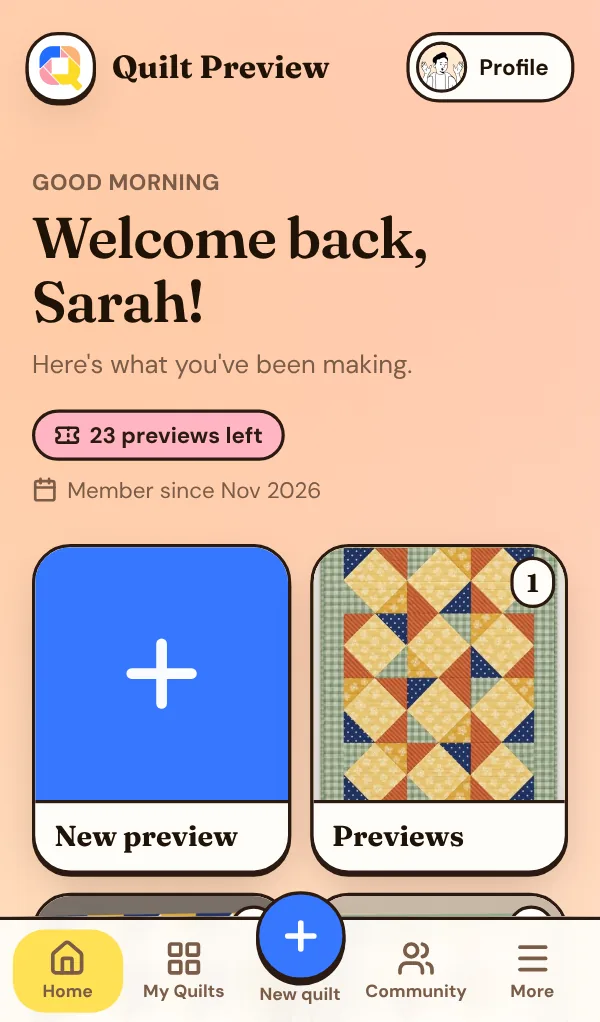
What you're working on
Start a new preview, or open your previews, WIPs and finished quilts. One tap each.
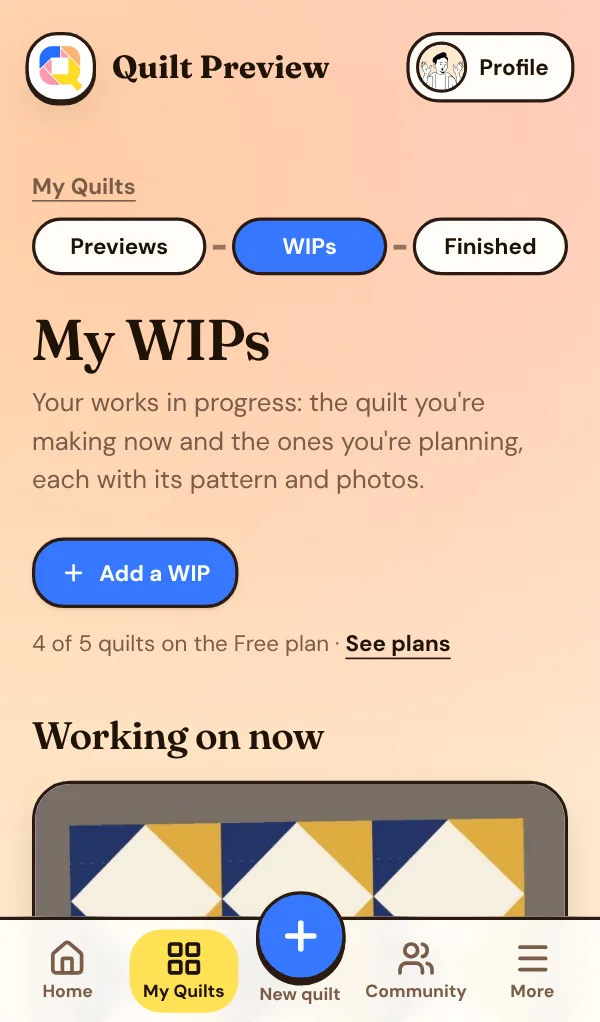
Every quilt you're making
Each WIP keeps its pattern and photos together. Finished ones move to My finished quilts.
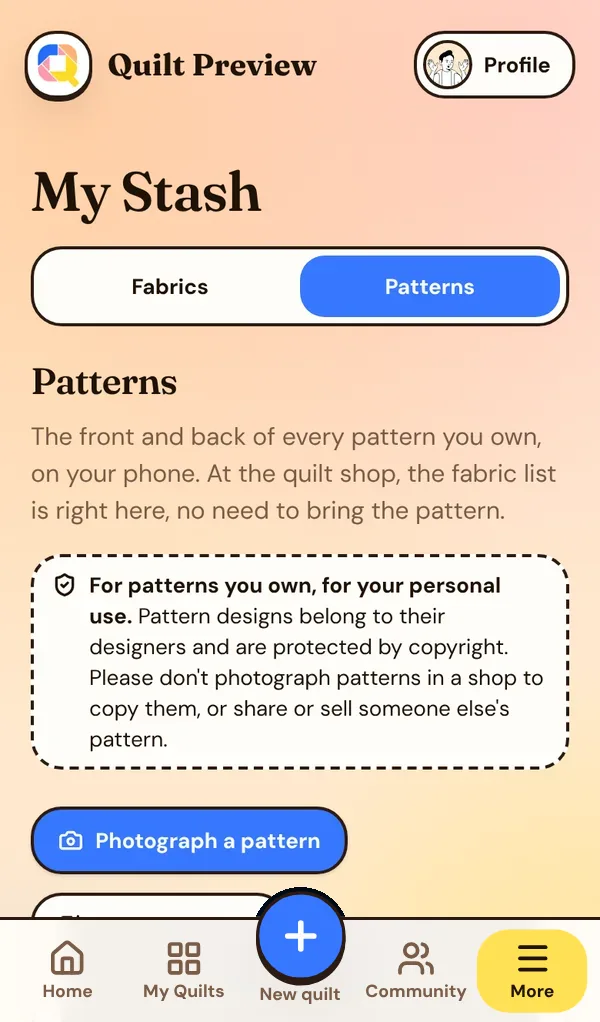
Your patterns, front and back
The fabric list is on your phone at the quilt shop. No need to bring the pattern.
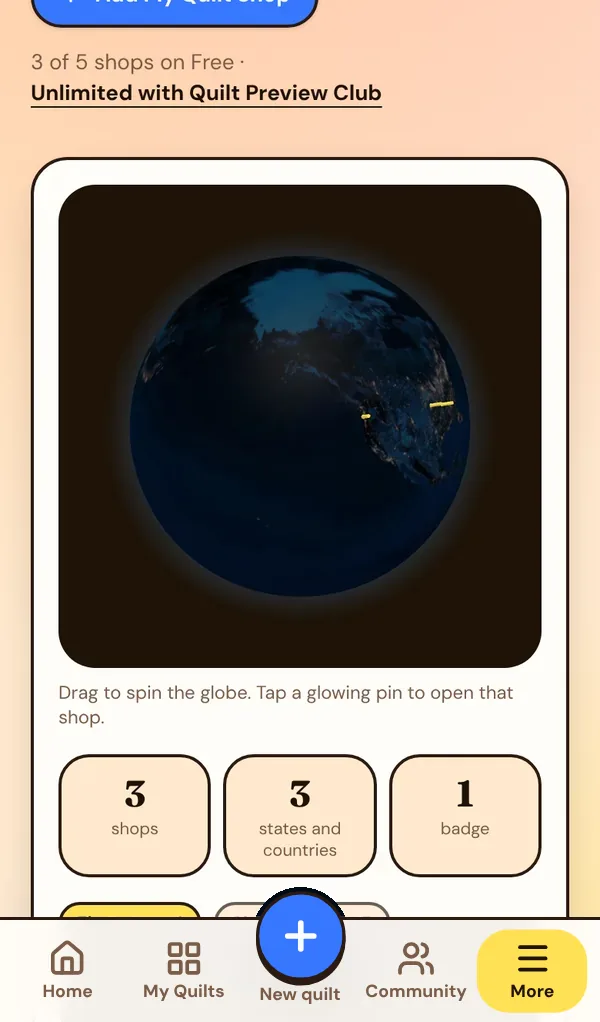
Every quilt shop you visit
Add each shop and watch it light up on your own globe. Directions are one tap away.
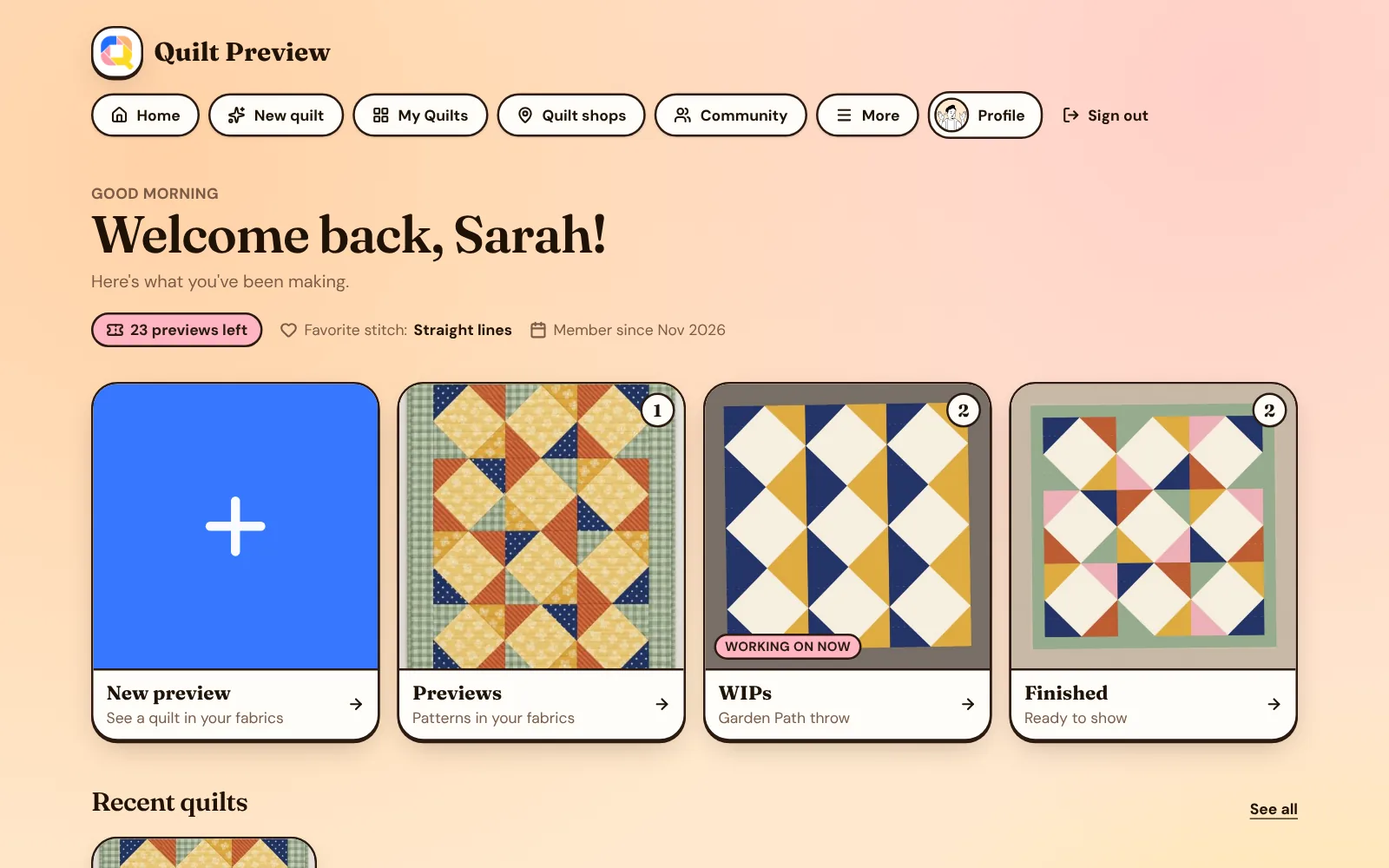
Same quilts, bigger screen.
Sign in on your computer and everything is right there: your WIPs, patterns, quilt shops and previews. Nothing to install.
Try it now
Use your own pattern and your own fabric. The Free plan gives you 5 previews every month, or try Quilt Preview Club free for 7 days.
Quick answers for the math before you cut, in inches or metric. Free, no sign-up needed.
Practical help with fabric, color and planning, before the first cut.
How to Audition Fabric for a Quilt (Before You Cut)
Simple ways quilters test fabric choices before cutting: value checks, the phone photo trick, design walls, and previewing the finished quilt in your own fabric.
Read the guide →
How to Choose Colors and Fabrics That Work Together in a Quilt
A friendly guide to quilt color: value and contrast, simple color schemes that always work, choosing a background, and mixing print scales so your quilt comes together.
Read the guide →
How to Make a Quilt From Your Fabric Stash
Turn the fabric you already own into a quilt you'll love: sorting your stash, picking a stash-friendly pattern, pulling a palette, and filling the gaps.
Read the guide →
Your next quilt is already in your head.
Snap your pattern and your fabric, and see it come to life tonight — in the fabric you already have at home.